

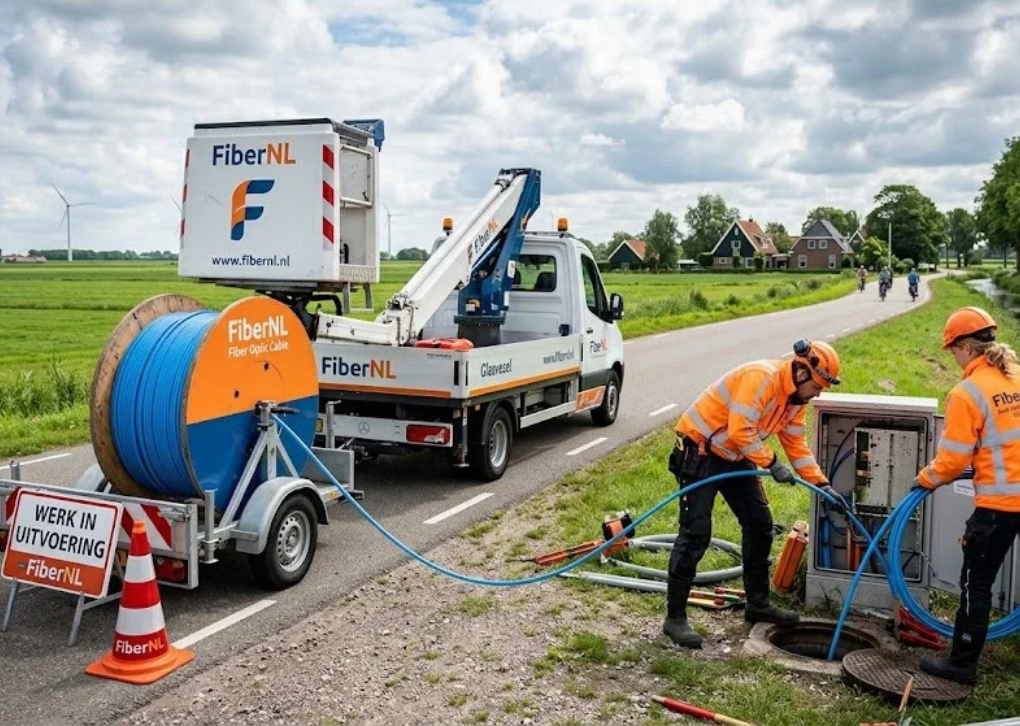
FiberNL is a commonly used search term for Fiber Nederland, a Dutch provider offering home internet, television and fixed-line phone services through fiber.nl. Its main appeal is straightforward: fast broadband, optional entertainment bundles and prices that depend on your address. But an attractive advertised speed does not automatically tell you what the connection will cost, whether it is available at your home or how smoothly the switch will go.
This guide explains what FiberNL offers, how to check coverage, what customer feedback suggests and the practical questions worth answering before signing a contract.
What is FiberNL?
Fiber Nederland provides residential broadband services in the Netherlands and is part of the Fiber Groep, according to its website. The brand offers internet-only packages as well as combinations with television or home telephone services. Its current website emphasizes fiber-optic connections and an address-based ordering process.
The name can cause confusion. FiberNL, Fiber Nederland and fiber.nl generally refer to the same consumer-facing provider in this context. They should not be confused with the general Dutch word glasvezel, which simply means fiber-optic broadband, or with a company that physically owns the local network. A retail provider may deliver service using another network operator’s infrastructure.
Which Internet and TV Packages Are Available?
FiberNL presents four main combinations. The right option depends less on the headline speed than on the extras you would actually use.
| Package | What it includes | Best suited to |
|---|---|---|
| Internet Only | Broadband and a supplied Wi-Fi router | Households using separate streaming subscriptions |
| Internet + TV | Broadband and CANAL+ television services | Viewers who want traditional channels alongside internet |
| Internet + Calling | Broadband and fixed-line phone service | People who still use a home telephone |
| Internet + TV + Calling | All three services together | Households preferring one combined subscription |
The provider advertises a basic technician installation and router with its broadband packages. Always check what “basic” installation covers, whether any optional work costs extra and whether equipment must be returned when the contract ends.
Does FiberNL Offer 1 Gbps or 10 Gbps Internet?
Its main website currently advertises 1 Gbps as the standard speed and says connections of up to 10 Gbps are available in some locations. However, some individual package pages still describe 10 Gbps as forthcoming. Treat the result of your address check and the written order confirmation—not a general advertising banner—as the decisive information.
A 1 Gbps connection can already support multiple 4K streams, video calls, cloud backups and online games at the same time. A 10 Gbps plan makes more sense for households moving large files across compatible wired equipment or for demanding multi-user setups. Most phones, laptops and typical Wi-Fi connections will not individually achieve 10 Gbps.
Also distinguish download speed from upload speed, and wired performance from Wi-Fi performance. Before paying for a faster tier, ask what upload rate is specified and whether your own hardware can use the extra capacity.
What Does the Television Package Include?
Fiber Nederland offers TV services in cooperation with CANAL+. The provider’s website describes interactive TV, viewing on supported devices and optional or bundle-dependent features including sports channels, recording and replay.
Do not assume every advertised channel or feature comes with the least expensive TV option. For example, ESPN Compleet and recording features are associated with TV Compleet in the provider’s main descriptions. Check the actual channel list, simultaneous stream limits and any receiver charges for your chosen plan.
How to Check FiberNL Availability at Your Address
FiberNL does not guarantee coverage at every Dutch address. Its availability checker asks for a postcode, house number and, where relevant, a house-number addition. Because the local network and available technology matter, two homes in the same city can receive different offers.
Use the official address checker and review the result in this order:
-
Confirm that the exact property is eligible, not just the neighborhood.
-
Identify the offered access technology and download/upload speeds.
-
Check whether the fiber connection is already installed or requires an appointment.
-
Compare the complete monthly price, introductory offer and installation terms.
-
Save the offer and confirm the proposed activation date before canceling existing service.
If the checker does not show service, that does not prove fiber is unavailable from every provider. Dutch network owners and retail internet companies are different entities, so another provider may serve your home.
FiberNL Prices: What Should You Compare?
An exact nationwide monthly tariff would be misleading because Fiber Nederland says availability and prices can differ by region. Promotional deals also change, and historical forum offers are not reliable quotes for a new order.
Instead, compare what you would pay over the full minimum contract term. Look at the first promotional months, the regular monthly charge afterward, any setup fees, paid television add-ons and possible annual adjustments.
For example, imagine a hypothetical 12-month deal at €25 per month for three months and €50 for nine months. The total would be €525, or an average of €43.75 per month before other fees. This is an illustration of how to compare plans, not a verified FiberNL offer.
Confirm the agreement’s term and cancellation rules. A lower introductory rate may be less attractive if you need flexibility to move house or change providers soon.
What Equipment Do You Need for Faster Fiber?
FiberNL provides a Wi-Fi router with its broadband offering, but the exact device can vary by service and installation. For ordinary browsing and streaming, the supplied equipment may be enough.
For multi-gigabit service, your network can become the bottleneck. To benefit from speeds above 1 Gbps on one wired device, the relevant router, network port, cable and computer adapter all need sufficient capacity. A standard 1 Gbps Ethernet port will not transfer data to a single device at 10 Gbps.
More technical buyers should ask the company in writing about bridge mode, third-party routers, the optical network terminal (ONT), IPv6 and whether a public IP address is provided. Recent Tweakers contributors have discussed bridge-mode setups and difficulties using their own optical hardware, but these are individual configurations, not a universal technical specification for Fiber Nederland.
FiberNL Reviews: What Do Customers Report?
The company receives mixed feedback. When checked on October 22, 2026, its Dutch Trustpilot page displayed a score of 2.0 out of 5 across 290 reviews. The recent discussion includes complaints about responsiveness, unresolved interruptions and installation coordination, alongside positive reports of fast connections or helpful technicians.
The newer Tweakers discussion is similarly varied. Some participants report stable fiber speeds and low latency once connected; others describe delays during activation or difficulties integrating their preferred networking equipment.
These comments are useful for identifying questions to ask, not for predicting your exact experience. Review sites are self-selecting, individual installations differ, and a forum post cannot independently establish a provider-wide failure rate. FiberNL has not been independently performance-tested for this article.
A sensible approach is to check recent reviews from your area, confirm the promised activation date and ask how faults will be escalated if the network operator and retail provider are different organizations.
Switching to Fiber Nederland Without Losing Service
Changing broadband providers has two separate parts: ending the old agreement and making sure the new line works. Coordinate both before committing to a date.
Fiber’s current switching page advises customers to cancel their previous service themselves and then arrange their new subscription. That is worth noticing because the page also uses the language of an easy switching service. Ask explicitly whether Fiber will cancel anything on your behalf; do not assume it will.
A practical sequence is to check your existing contract end date, order the new connection, obtain the installation or activation date, clarify cancellation responsibility and retain email confirmations. If home internet is essential for work, consider a temporary mobile-data backup during the changeover.
Dutch consumer regulator ACM ConsuWijzer says that telecom subscriptions commonly have a fixed term of one or two years. Once that fixed term ends, consumers can generally cancel with no more than one month’s notice. Certain distance contracts also offer a 14-day cooling-off period, subject to the applicable conditions. Read the rules that apply to your specific agreement.
Customer Support and Troubleshooting
Fiber Nederland lists its customer contact email as info@fiber.nl and telephone number as 020 760 50 40. Its published phone hours are 09:00–20:00 Monday to Friday and 09:00–17:30 on weekends. The service website also provides information about faults and maintenance.
If a connection seems slow, first test with a wired device where possible, compare with the speed stated in your contract, restart equipment according to the provider’s instructions and check whether there is a known outage. If Wi-Fi is slow but a wired test is normal, investigate wireless coverage before assuming the external fiber line is faulty.
For continuing problems, record test dates, results and support case numbers. A clear timeline makes it easier to pursue troubleshooting and, if necessary, a formal complaint.
Is FiberNL a Good Choice for Your Home?
FiberNL may be worth considering when its address-specific offer is competitive and its package matches how you use broadband. Its stated standard 1 Gbps service is already more bandwidth than many households need, while certain locations may have access to higher speeds.
The reasons to be cautious are equally practical: independent reviews raise customer-service concerns, promotional pricing needs careful interpretation and advanced router features should be confirmed before ordering.
Before you decide, compare at least two offers available at your exact address and prioritize total contract cost, upload speed, realistic equipment needs, support arrangements and the activation date. The best provider is not necessarily the one with the largest speed number.
Final Verdict
FiberNL generally refers to Fiber Nederland rather than a separate internet provider, but suitability depends on the particular deal and connection available at your property. If its price, service terms and equipment meet your needs, it belongs on your shortlist. Start with an address check, request the complete written offer and compare it with other available options before switching.
5. Frequently Asked Questions
1. Is FiberNL the same as Fiber Nederland?
Yes. FiberNL is used as a shorthand search term for Fiber Nederland, whose consumer website is fiber.nl. It is not evidence of a separate broadband provider.
2. Is FiberNL available throughout the Netherlands?
No. The provider operates in multiple parts of the country, but coverage is not universal. Enter your postcode and house number in its availability checker to confirm the available services.
3. Can I get 10 Gbps internet from FiberNL?
Possibly. The main website advertises up to 10 Gbps in some locations, while other pages describe a future rollout. Verify whether 10 Gbps is explicitly offered for your address before making a purchase.
4. Does FiberNL include a router and installation?
The provider advertises a Wi-Fi router and basic technician installation with its internet service. Verify the supplied equipment, appointment conditions and any charges for nonstandard work in your offer.
5. Are FiberNL customer reviews positive?
Feedback is mixed, with significant dissatisfaction expressed in recent public reviews alongside some positive connection and installation experiences. Look for recent, relevant reports and remember that review sites do not represent a controlled service-quality study.
6. Can I use my own router with Fiber Nederland?
Possibly, but compatibility and support for third-party equipment are not guaranteed by the general package descriptions. Ask about bridge mode, ONT requirements and your intended model before signing up.
7. How do I cancel or switch my FiberNL subscription?
Check your contract terms and contact the provider for its cancellation process. Dutch consumer rules generally permit cancellation after the fixed term with no more than one month’s notice. Coordinate any new activation date to reduce the risk of downtime.
